How Claude Code Works: A Security Team’s Guide to the Agentic Loop, Tools, and Hooks (2026)
- The agentic loop has three phases Claude Code blends together: gather context, take action, verify results - and it chains dozens of tool calls per task with no human step between them.
- Built-in tools fall into five categories: file operations, search, execution (shell, git, tests), web, and code intelligence. Execution is where the blast radius lives.
- Claude Code can reach your project files, your terminal, your git state, CLAUDE.md, auto memory, and any MCP servers, skills, and subagents you configure - a far wider surface than an inline completion tool.
- It runs in three execution environments (local, Anthropic-managed cloud VMs, and remote control from a browser) across terminal, IDE, Slack, and CI/CD interfaces.
- Permission modes cycle with Shift+Tab - default, acceptEdits, plan, and the research-preview auto mode - plus bypassPermissions for isolated sandboxes. They are local UX, not an org control plane.
- Claude Code exposes 28 hook events; the PreToolUse hook returns allow, deny, or ask before any tool call runs, which is where Anomity enforces policy and writes a 90-day audit trail.
If your developers run Claude Code, the question is no longer whether to allow it - it is whether you understand how Claude Code works well enough to govern it. The honest answer for most security teams is no, because the tool looks like an editor plugin and behaves like an autonomous operator. Understanding how Claude Code works starts with one fact: when a developer types "fix the failing tests," Claude can run the suite, read the errors, search the source, edit several files, and run the tests again - chaining a dozen tool calls with no human approval between them. That is an agent acting with your developer's credentials on a managed endpoint, and it belongs in the same inventory as every other AI artifact on the fleet.
This guide walks through the architecture the way a practitioner needs it: the agentic loop, the five tool categories, what Claude can reach, where it executes, and the safety mechanisms that are real versus the ones that only look like controls. We will keep every claim anchored to Anthropic's published behavior. The same shape applies to the other coding agents your developers use, which we cover in securing AI coding agents and CLIs.
Then we get to the part that matters for governance: there is exactly one place where an external policy can sit between intent and action - Claude Code's PreToolUse hook - and that is where runtime allow/deny/log decisions belong. Recent disclosures like the project-file RCE in CVE-2025-59536 show why a passive inventory is not enough.
How does the agentic loop actually work?
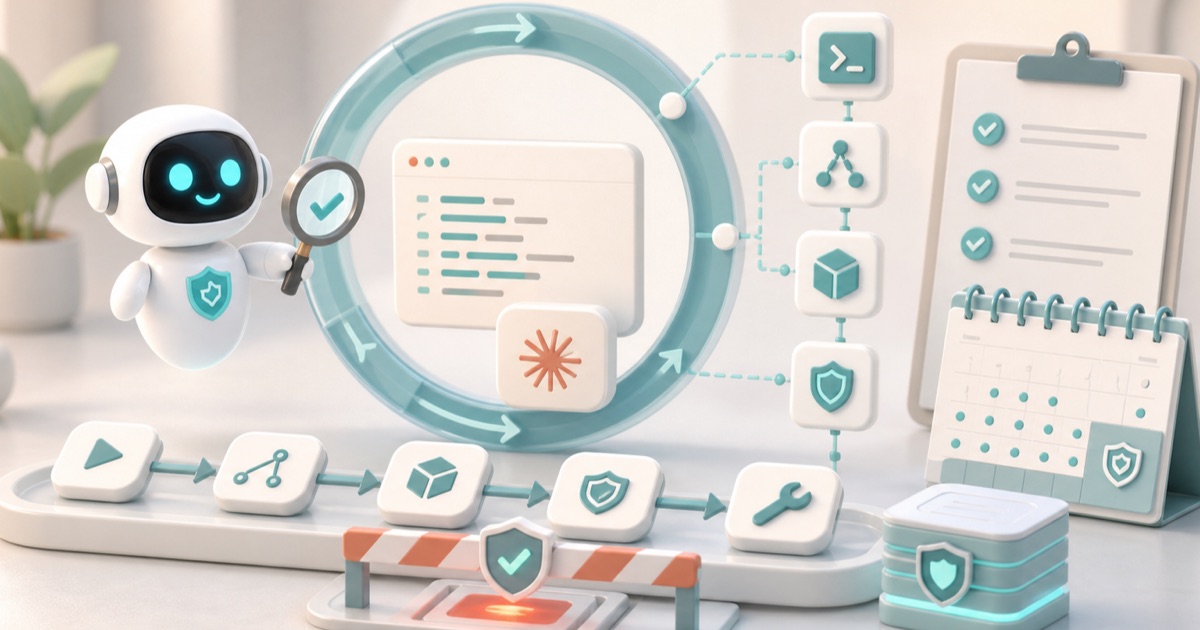
Claude Code is an agentic harness around a Claude model. When you give it a task, it works through three phases that the docs describe as blending together: gather context, take action, and verify results. It searches and reads files to understand your code, edits files or runs commands to make changes, then runs tests or checks output to confirm. Each tool call returns information that feeds the next decision.
The loop adapts to the task. A question about your codebase might only gather context. A bug fix cycles through all three phases repeatedly. A refactor leans heavily on verification. Claude decides what each step requires based on the last step, chaining dozens of actions and course-correcting. You can interrupt at any point - press Esc to stop, or type a correction - but between your prompts the loop is autonomous. That autonomy is the whole value and the whole risk.
What are the five tool categories, and which one carries the blast radius?
Tools are what make Claude Code agentic; without them the model can only emit text. The built-in tools fall into five categories. The table below maps each to what it lets Claude do and how a security team should weight it.
| Category | What Claude can do | Governance weight |
|---|---|---|
| File operations | Read, edit, create, rename, reorganize files | Medium - scoped to the working tree, but can write secrets or backdoors |
| Search | Find files by pattern, search content with regex | Low - read-only discovery |
| Execution | Run shell commands, start servers, run tests, use git | High - arbitrary commands and git with the endpoint's credentials |
| Web | Search the web, fetch documentation, look up errors | Medium - outbound fetches can pull untrusted content into context |
| Code intelligence | See type errors, jump to definitions, find references (via plugins) | Low - analysis only |
Execution is where the blast radius lives. A single Bash tool call can read environment variables, hit internal APIs, or push to a remote - all with whatever the developer is authenticated for. Claude also has orchestration tools for spawning subagents and asking questions. When untrusted content reaches the model through the Web category or a file, the execution category is what turns prompt injection into impact; we trace that exact chain in comment-and-control multi-agent prompt injection.
What can Claude Code access?
When you run claude in a directory, the docs list what it gains access to. This is the surface an endpoint inventory has to enumerate:
- Your project - files in the directory and subdirectories, plus other paths with permission.
- Your terminal - any command you could run: build tools, git, package managers, scripts.
- Your git state - current branch, uncommitted changes, recent commit history.
- Your CLAUDE.md - project-specific instructions loaded every session.
- Auto memory - learnings saved automatically; the first 200 lines or 25KB of MEMORY.md load at the start of each session.
- Extensions you configure - MCP servers, skills, subagents, and Claude in Chrome.
Two of these deserve a second look. CLAUDE.md and auto memory are instruction-bearing files that load automatically - a poisoned project file becomes persistent instructions, which is the mechanism behind the project-file RCE and token exfiltration in CVE-2025-59536. Not all of them load at launch, either: subdirectory CLAUDE.md files and path-scoped rules load only when Claude reads a matching file, so the instruction set in play at minute 40 is larger than the one a reviewer saw at minute 1. And MCP servers extend the tool surface arbitrarily; an stdio MCP server runs as a local process with the user's privileges, the by-design behavior we document in the Anthropic MCP stdio RCE writeup. If you connect MCP servers, read the MCP server security guide before you trust one.
Where does Claude Code execute, and through which interfaces?
The agentic loop and tools are identical everywhere. What changes is where code runs and how you reach it. The docs name three execution environments.
| Environment | Where code runs | Use case |
|---|---|---|
| Local | Your machine | Default. Full access to your files, tools, and environment |
| Cloud | Anthropic-managed VMs | Offload tasks, work on repos you do not have locally |
| Remote Control | Your machine, controlled from a browser | Use the web UI while keeping everything local |
Interfaces include the terminal, the desktop app, IDE extensions, claude.ai/code, Remote Control, Slack, and CI/CD pipelines. The interface changes what you see; the loop underneath does not. The CI/CD case has its own identity pitfalls - a GitHub Action running as a bot actor can be coaxed across a trust boundary, as in the Claude Code GitHub Action bot-actor bypass. For endpoint governance, the local environment is the one that touches real secrets and internal systems, so that is where on-endpoint inventory and runtime decisions matter most.
How do checkpoints and permission modes protect you - and what are their limits?
Claude Code has two safety mechanisms. Both are useful and both are commonly mistaken for controls they are not.
Checkpoints. Before Claude edits a file, it snapshots the contents. Press Esc twice to rewind, or ask Claude to undo. But checkpoints are local to the session and cover file changes only. They cannot undo actions with external side effects - databases, APIs, deployments, git pushes - which is precisely why Claude asks before those commands. The irreversible actions are the ones you want governed before they run.
Permission modes. Press Shift+Tab to cycle modes. They decide when Claude asks before acting - they are per-session UX on the developer's machine, not an org-wide control plane.
| Mode | Behavior | Governance reality |
|---|---|---|
| Default | Asks before file edits and shell commands | Relies on the developer to read every prompt |
| acceptEdits | Auto-accepts edits and common filesystem commands; asks for others | Edits and some Bash run with no prompt |
| Plan | Explores and proposes a plan without editing source; prompts still apply | Safe for read-only research |
| Auto | Evaluates all actions with background safety checks (research preview) | Promising but not a deterministic policy you control |
| bypassPermissions | Skips all prompts (--dangerously-skip-permissions) | Intended only for isolated sandboxes; no prompts at all |
You can allowlist specific commands in .claude/settings.json so Claude does not ask each time, and settings scope from organization policy down to personal preference. That helps, but it is configuration on each endpoint, not a single queryable decision point with a durable audit trail. When a developer flips to bypassPermissions to move fast, none of these prompts fire. That gap is the case for an external enforcement layer.
How do Claude Code hooks let you enforce policy before a tool runs?
Hooks are the documented extension point that turns Claude Code from a thing you observe into a thing you can govern. Claude Code defines many hook events across the session and agentic lifecycle. The one that matters for enforcement is PreToolUse: it fires before a tool call executes and can block it.
A PreToolUse hook receives JSON on stdin describing the tool and its input, and returns a permissionDecision inside hookSpecificOutput. The decision values are allow (proceed without prompting), deny (block the call; Claude sees the reason), and ask (escalate to a user dialog). An exit code of 2 also blocks and feeds stderr back to Claude; exit code 0 with JSON is parsed for the structured decision.
{
  "hookSpecificOutput": {
    "hookEventName": "PreToolUse",
    "permissionDecision": "deny",
    "permissionDecisionReason": "Outbound push to non-allowlisted remote blocked by policy"
  }
}
Hooks are configured in settings files with three nesting levels - the event, a matcher group that filters which tools fire (for example Bash or Edit|Write), and the handler that runs. Handlers can be a local command, an HTTP endpoint, or an MCP tool. That structure is the seam: a PreToolUse hook matched on the execution tools gives one deterministic checkpoint where every shell command and git operation is inspected before it runs.
How Anomity governs Claude Code
Anomity is agentic endpoint security. On every managed endpoint it inventories the AI artifacts that this guide just walked through - AI agents, MCP servers, extensions, skills, plugins, secrets, hooks, and CLIs - and classifies them. So Claude Code itself, the MCP servers it connects, the skills and subagents in scope, and the CLAUDE.md and hook files on disk all show up as named assets, not unknowns. That answers the question you cannot answer today: which endpoints run Claude Code, with which MCP servers and skills attached.
For agents that expose a hook, Anomity sits at Claude Code's PreToolUse hook and returns allow, deny, or log on each tool call before it runs. The decision is policy-driven and deterministic, not a per-developer prompt: a push to a non-allowlisted remote can be denied, a read flagged for log-only, an edit allowed. Because Anomity collects metadata only and redacts secrets on the endpoint, the command and its context are evaluated without shipping your secrets off the machine.
Every one of those decisions lands in a queryable 90-day audit trail: which endpoint, which artifact, which tool call, what input metadata, and the allow/deny/log outcome with its reason. Decisions route to your SIEM, Slack, email, or Jira, so a denied git push or a newly seen MCP server becomes an alert your existing workflow already handles. Anomity is SOC 2 Type II, and it complements your Network, EDR, DLP, and GRC controls - it governs the AI agent layer those tools do not see, and it does it without the developer noticing the friction. See how it works and the comparison for where it fits.
Knowing how Claude Code works is the first half; the second half is having one place that inventories every Claude Code endpoint, decides allow/deny/log at the PreToolUse hook, and keeps the 90-day record your auditors will ask for. If that is the gap on your fleet, book a demo or start with the agentic AI governance guide.
Frequently asked questions
What is the agentic loop in Claude Code?
Claude Code works through three phases that blend together: gather context, take action, and verify results. It searches and reads files to understand your code, edits files or runs commands to make changes, then runs tests or checks output to confirm the work. Each tool call returns information that informs the next decision, so Claude chains dozens of actions per task and course-corrects along the way. A question might only need context gathering; a bug fix cycles through all three phases repeatedly. The loop is autonomous between your prompts, which is exactly why security teams care about what happens inside it.
What are the five tool categories in Claude Code?
The official docs group built-in tools into five categories: file operations (read, edit, create, rename files), search (find files by pattern, search content with regex), execution (run shell commands, start servers, run tests, use git), web (search the web, fetch documentation), and code intelligence (type errors, jump to definitions, find references, via plugins). Claude also has tools for spawning subagents and asking you questions. For governance, the execution category carries the most blast radius because it runs arbitrary shell commands and git operations against whatever credentials the endpoint holds.
What can Claude Code access on my machine?
When you run claude in a directory, it gains access to your project files and subdirectories (plus other paths with permission), your terminal and any command you could run, your git state including branch and uncommitted changes, your CLAUDE.md instructions, auto memory loaded from MEMORY.md at session start, and any extensions you configure - MCP servers, skills, subagents, and Claude in Chrome. That is a much wider surface than an inline code-completion tool that only sees the current file. The access is what makes it useful and what makes an inventory of those artifacts necessary.
What is the PreToolUse hook and can it block a tool call?
PreToolUse is a hook event that fires before a tool call executes. It is the primary hook for tool-call control. The hook receives JSON on stdin describing the tool name and input, and returns a permissionDecision of allow (proceed without prompting), deny (block the call, Claude sees the reason), or ask (escalate to a user dialog). A non-zero exit code of 2 also blocks the call and feeds stderr back to Claude. Because every execution tool call passes through PreToolUse, it is the single enforcement point where an external policy can return allow, deny, or log before anything runs.
Do Claude Code permission modes give my security team central control?
No. Permission modes (default, acceptEdits, plan, the research-preview auto mode, and bypassPermissions) are per-session UX cycled with Shift+Tab on the developer's machine. They decide when Claude asks before acting. Settings can be scoped from organization policy down to personal preference, but the modes themselves are not a centralized, queryable control plane and bypassPermissions disables prompts entirely. For org-wide visibility and enforcement you need an external layer that inventories the artifacts and decides at the hook, then keeps a durable audit trail your SIEM can query.
Where does Claude Code execute code, and does that change the risk?
Claude Code runs in three execution environments: local (your machine, full access to files and tools), cloud (Anthropic-managed VMs for offloaded tasks or repos you do not have locally), and remote control (code runs on your machine but is driven from a browser). The agentic loop and tools are identical everywhere; what changes is where code executes and which credentials are reachable. Local execution touches your real environment and secrets, so for endpoint governance the managed-endpoint local case is where inventory and runtime decisions matter most.
How does a checkpoint differ from a real rollback?
Before Claude edits a file, it snapshots the contents so you can press Esc twice to rewind, or ask it to undo. Checkpoints are local to the session and cover file changes only. They do not undo actions with external side effects - database writes, API calls, deployments, or git pushes - which is why Claude asks before commands that touch remote systems. For a security team this means checkpoints are a developer convenience, not a control: the irreversible actions are exactly the ones you want to govern before they run, at the PreToolUse hook, with a record of what was allowed or denied.