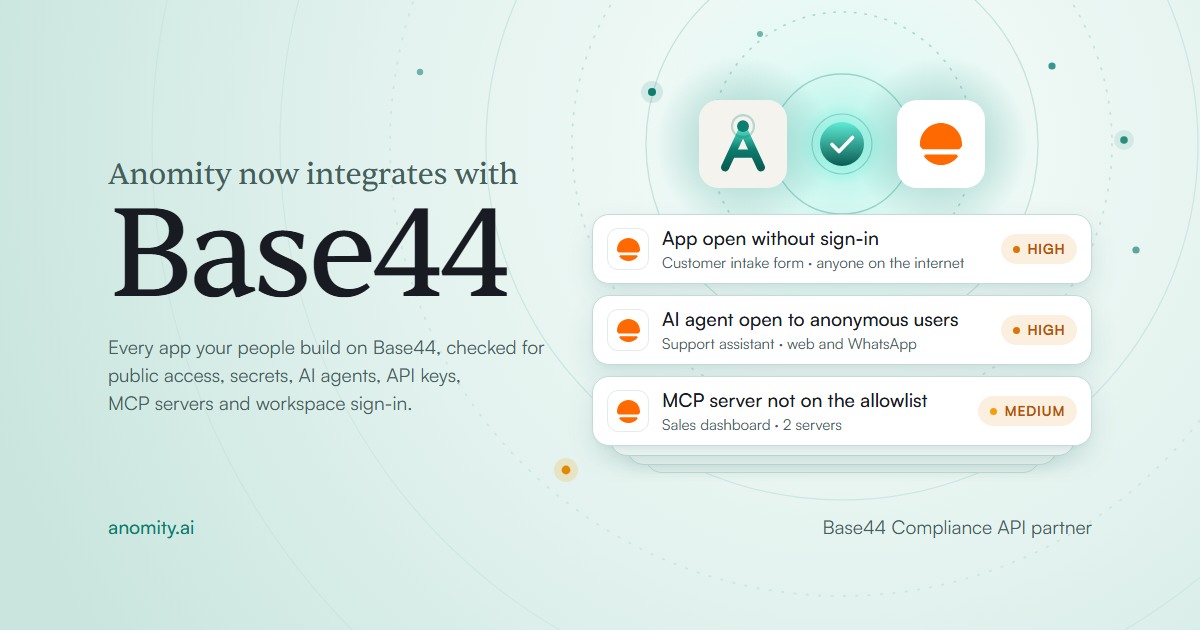
Anomity Integrates with Base44
- Anomity now connects to Base44, in beta, as a registered Compliance API partner.
- It flags public apps, secrets, anonymous AI agents, Base44 scan findings, risky API keys and unapproved MCP servers.
- Setup is one read-only key and takes minutes: see Set up the Base44 integration.
Anomity now integrates with Base44, in beta. Connect a workspace and see every app your people built: who can open it, what it holds, and what Base44's own scanner found.
Read-only partner access
A registered Compliance API partner. Every call is a read.
Five Base44 policies
Switch on only the themes you need.
Set up in minutes
One workspace key, pasted into Anomity.
Why Base44, and why now
Anyone can build and publish an app on Base44 in an afternoon, often with company data behind it. It is shadow AI in a new form: not a tool someone installed, but an app someone shipped.
A form goes public
Built for one team, now a public URL.
A connection stays live
A Gmail link added for a demo, never removed.
A key is exposed
An API key in an app's code works for whoever opens it.
How it works
Apps
Owner, visibility, sign-in, secrets.
Scan results
Base44's own scanner findings.
Workspace
SSO, MFA, publishing, members.
Connectors and MCP
What each app can reach.
Keys and secrets
Permissions and last use.
AI agents
Who may talk to them.
What it flags
Apps open to the internet
Public apps, especially those holding secrets, data connections or anonymous AI agents.
Security scanner findings
Open findings from Base44's scanner, high and above by default.
Workspace access and publishing
SSO or MFA not enforced, outside members, admin sprawl, public publishing.
API keys and secrets
Full-access and unused keys, secrets not updated in 90 days.
MCP servers and connectors
MCP servers off your allowlist, MCP without sign-in, connectors that can write.
Set up the Base44 integration
You need Base44's Enterprise plan and an admin on each side.
Create a key in Base44
Settings › Secrets › + Create API Key, with Read compliance inventory, Read compliance security findings and Read compliance member directory.
Copy your workspace ID
From the settings address:
app.base44.com/workspace/<id>/settings.Connect it in Anomity
Settings › Integrations › Base44 › Create integration, then paste the ID and the key.
Switch on the policies
Governance › Policies › + Add policies, then search for Base44.
Review the findings
In Anomity, and in your SIEM, Slack or Jira.
| If the connection says | Do this |
|---|---|
| The key was rejected | Create a new key and paste it again. |
| The plan does not include the Compliance API | Move to Base44's Enterprise plan. |
| The key belongs to a different workspace | Check the workspace ID. |
| The Compliance API is not enabled | Ask your Base44 contact to switch it on. |
| The workspace was not found | Copy the workspace ID again. |
How Anomity and Base44 fit together
Finds and fixes issues in each app, with its scanner and Security Center.
Anomity
Shows every app next to the rest of your AI estate, and checks MCP servers against the registry you already keep.
To see it on your own Base44 workspace, book a 30-minute demo.
New to Base44, or not on the Enterprise plan yet? Talk to the Base44 team.
Frequently asked questions
What does the Anomity Base44 integration do?
It reads one Base44 workspace through Base44's Compliance API and raises findings through five Base44 policies.
Which Base44 plan does it need?
Base44's Enterprise plan. Anomity is a registered Compliance API partner, which the API requires.
What credentials does Anomity need?
One workspace API key with Read compliance inventory, plus Read compliance security findings and Read compliance member directory for scan results and members.
Can Anomity read the data inside our Base44 apps?
No. Base44 never returns secret values, app records, code, agent instructions or conversations, so Anomity never sees them.
Can Anomity unpublish a Base44 app?
No. The API is read-only. Unpublishing an app happens in Base44's Security Center.