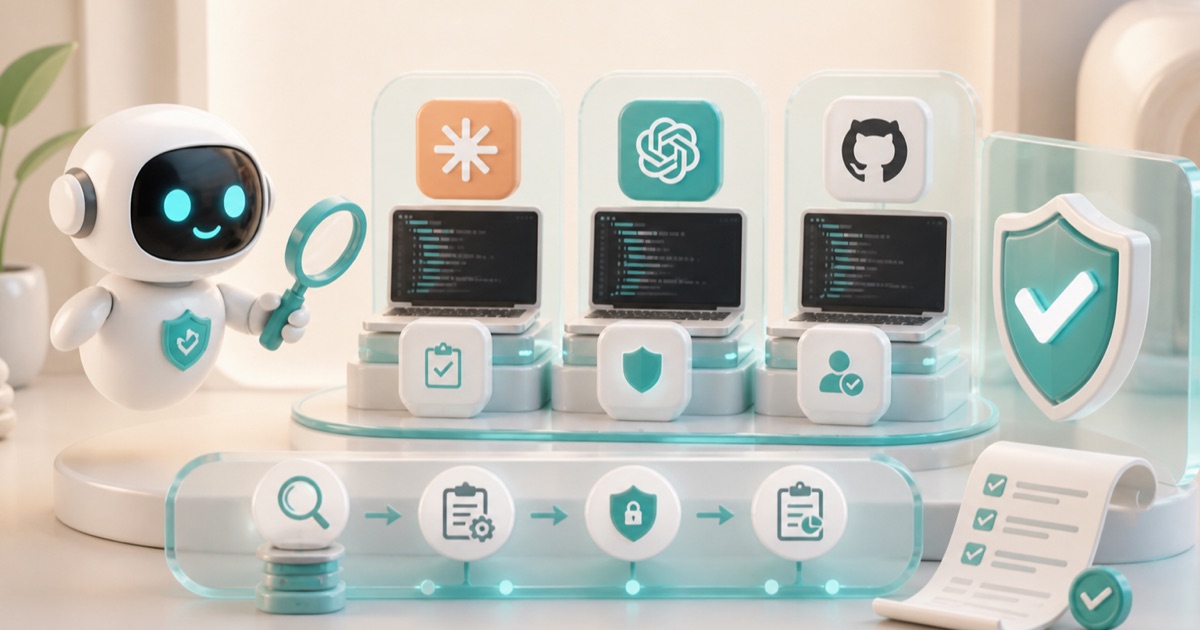
Governing AI Coding Assistants Across Your Fleet: Claude Code, OpenAI Codex, and GitHub Copilot (2026)
- Three tools, three permission models: Claude Code uses
settings.jsonallow/deny rules and aPreToolUsehook, Codex usesapproval_policyplussandbox_modeinconfig.toml, and Copilot uses org policies and content exclusion. None reports to security by default. - Each control lives where security can't see it: a developer's
~/.claude/settings.json, a repo's.codex/config.toml, or an org admin's Copilot policy page. There is no single console that shows all three across every endpoint. - Inventory first: you cannot set policy on a tool you have not found. Start with a fleet-wide inventory of which assistants, MCP servers, and CLIs are installed on which machines.
- Runtime enforcement only exists where a hook exists: Codex sandboxes by OS (Seatbelt, Landlock) and Claude Code exposes
PreToolUse, but Copilot inline completion has no per-action gate, so policy there is preventative (content exclusion) not runtime. - Audit is the common gap: Copilot streams to SIEM with 180-day retention, but local Claude Code and Codex sessions write to disk on the endpoint, not to a central log.
- One framework, not three projects: inventory, classify, set policy, enforce at the hook where possible, and keep a queryable audit trail across all three tools at once.
Governing AI coding assistants is now a fleet problem, not a per-laptop one, because three different tools with three different permission models are running side by side on machines security never enrolled. A single backend team might have Claude Code reading the repo through its PreToolUse hook, OpenAI Codex running shell commands inside an OS sandbox, and GitHub Copilot completing code inline, all on the same endpoint, each governed by its own config file in its own location. None of the three reports to your security stack by default.
That is the tension this guide resolves. You do not get to standardize on one assistant, and you should not try; developers pick the tool that fits the task. What you can standardize is the governance loop around all of them: inventory what is installed, classify it, set policy, enforce that policy where a real gate exists, and keep an audit trail. This is the umbrella framework that the per-tool deep dives sit under, including the Claude Code security guide, the Codex sandbox and approvals guide, and the Copilot best-practices security guide.
If you want the wider context first, the pillar on securing AI coding agents and CLIs frames why this class of tool is its own security surface. This guide is the operational layer: how to govern all three at once. Start with the fleet inventory view to ground the abstract in what running this actually looks like.
Why does each tool need its own governance approach?
Because each tool decides what it can do, and when it asks you, in a different place using different language. A policy you write for one does not transfer to the others. The three models, grounded in each vendor's official docs:
- Claude Code controls actions through a permission system: a
settings.jsonfile holds allow and deny rules, four permission modes (default, auto-accept edits, plan, and a research-preview auto mode) change how aggressively it acts without asking, and aPreToolUsehook can run before each tool call. Settings can be scoped from organization-wide policy down to a personal file, which is exactly why a developer can quietly widen their own. - OpenAI Codex controls actions through OS-level sandboxing plus an approval policy.
sandbox_modeselectsread-only,workspace-write, ordanger-full-access;approval_policydecides when Codex pauses for sign-off; and on macOS it enforces with Seatbelt while on Linux it uses bubblewrap and seccomp. Inworkspace-write, network access is disabled by default and.git,.agents, and.codexstay read-only. - GitHub Copilot controls behavior through org and enterprise policies plus content exclusion, configured by admins rather than living on the endpoint. Content exclusion stops named files from informing inline suggestions or Chat, and policies turn features on or off. Copilot inline completion has no per-action runtime gate the way the other two do.
The takeaway: two of these tools enforce at runtime, one is preventative, and all three keep their controls somewhere your security console cannot see. That gap is the whole problem.
How do the three permission models actually compare?
Put side by side, the differences are sharp. This is the matrix to keep open while you write policy, because it tells you which lever exists for which tool.
| Capability | Claude Code | OpenAI Codex | GitHub Copilot |
|---|---|---|---|
| Primary control surface | settings.json allow/deny rules | config.toml (approval_policy, sandbox_mode) | Org/enterprise policies |
| Where it lives | Endpoint (org to personal scope) | Endpoint (per-project file) | GitHub admin console |
| Runtime per-action gate | PreToolUse hook (allow/deny/ask) | OS sandbox + approval prompts | None for inline completion |
| Network default | Tool calls per permission rules | Disabled in workspace-write | N/A (cloud-mediated) |
| Sensitive-file control | Deny rules / hook logic | Workspace-scoped writes | Content exclusion (Business/Enterprise) |
| Central audit by default | No (local JSONL) | No (local session state) | Yes (SIEM stream, 180-day retention) |
| Bypass / danger mode | Auto mode (preview) | --dangerously-bypass-approvals-and-sandbox | Auto-run features (caused CVE-2025-53773) |
Notice the bottom two rows. Only Copilot gives you a central audit trail out of the box, and every tool has some path to relaxing its own guardrails. Both facts shape where you need external visibility. For how a single relaxed setting becomes an incident, see the Copilot VS Code auto-run RCE writeup.
How do you build the fleet inventory first?
You cannot set policy on, or enforce policy against, a tool you have not found. Inventory is step one and the step most teams skip, and the list of things to find keeps growing - Google Antigravity now arrives as IDE extensions for four editors and not only as a desktop application, an install that produces no MSI or PKG for an inventory tool to key on. The questions to answer per endpoint:
- Which assistants are installed: Claude Code, Codex, Copilot, or some combination, and at what version surface (CLI, IDE extension, both)?
- Which MCP servers is each assistant wired to, and what credentials do those servers hold?
- Which local permission files exist, and have they drifted from the org baseline (a widened
settings.json, aconfig.tomlset todanger-full-access)? - Which CLIs, extensions, skills, plugins, hooks, and secrets sit alongside the assistants and extend their reach?
That last point matters because the attack surface is not just the assistant binary. A coding agent's real power comes from everything attached to it. The multi-agent prompt-injection and credential-theft analysis shows how an attacker chains those attachments together. Inventory has to cover the whole stack on each machine, which is what Anomity's fleet inventory is built to enumerate.
How do you set policy that maps to each tool?
Once you can see the fleet, write one policy expressed three ways. The policy intent stays constant ("no coding assistant writes outside its workspace without sign-off"); the mechanism differs per tool. A worked example of a Codex config that keeps writes scoped and network off:
# .codex/config.toml - workspace-scoped, network off, approvals on
approval_policy = "on-request"
sandbox_mode    = "workspace-write"

[sandbox_workspace_write]
network_access = false   # default; only widen behind a proxy allowlist
The same intent in Claude Code is a deny rule plus a PreToolUse hook that inspects the command before it runs; in Copilot it is content exclusion on sensitive paths plus an org policy. The trap is treating these as three separate projects. They are one policy with three encodings. Map each intent to its mechanism in a single table so nothing falls through:
| Policy intent | Claude Code mechanism | Codex mechanism | Copilot mechanism |
|---|---|---|---|
| No writes outside workspace | Deny rules on paths | sandbox_mode = "workspace-write" | N/A (no local write) |
| No silent network egress | PreToolUse hook denies net tools | network_access = false | Cloud-mediated only |
| Sensitive files off-limits | Deny rules / hook | Workspace scope + ignore | Content exclusion |
| Human sign-off on risky ops | Default mode / hook returns ask | approval_policy = "on-request" | Reviewer checks suggestion |
| No bypass / danger mode | Disallow auto mode by policy | Forbid --yolo flag | Disable auto-run features |
Writing the policy is the easy half. The hard half is knowing whether it is actually in force on every endpoint, which is why detection of drift matters as much as the policy text.
Where can you enforce at runtime, and where can't you?
Be honest about this, because over-promising runtime enforcement is how governance programs lose credibility. Runtime gating exists only where the tool exposes a decision point:
- Claude Code: the
PreToolUsehook fires before each tool call and can return allow, deny, or ask. This is a true per-action gate you can wire policy into. The risk is that the hook, like every other setting, lives on the endpoint and can be edited there. - OpenAI Codex: enforcement is the OS sandbox plus approval prompts. You do not gate individual tool calls with custom logic, but
sandbox_modeandapproval_policytogether decide what runs freely versus what pauses, and the sandbox is enforced by Seatbelt or Landlock, not just convention. - GitHub Copilot: inline completion has no per-action runtime gate. Governance is preventative: content exclusion and org policy. You shape what Copilot can see and suggest, not whether a specific suggestion executes.
So your enforcement plan is necessarily hybrid: a real gate on Claude Code via the hook, sandbox-and-approval posture on Codex, and preventative configuration on Copilot. The danger is the gaps between these, especially CI and bot contexts where a coding agent runs without a human. See the Claude Code GitHub Action actor-bypass analysis and the Codex branch-name command-injection writeup for how automation contexts slip past assumptions.
What should you check on every endpoint, on a schedule?
Policy decays. A clean fleet drifts as developers install new tools, attach new MCP servers, and tweak local settings. Recurring checks keep the picture current:
- New assistant installs or version changes since the last scan, including shadow installs on contractor or BYOD machines.
- Local permission drift: a
settings.jsonwidened beyond the org baseline, a Codexsandbox_modeset todanger-full-access, or a Copilot policy exception. - New or changed MCP servers, and what credentials or hosts they reach.
- Any use of bypass modes, especially Codex
--dangerously-bypass-approvals-and-sandboxor editor auto-run, on endpoints that hold real credentials. - Unvetted skills, plugins, hooks, and CLIs that extend an assistant's reach without review.
Each of these is a known incident path. A malicious project file can drive token exfiltration through a coding agent, as documented in the Claude Code project-file RCE and token-exfil analysis of CVE-2025-59536. The point of the scheduled check is to catch the change before it is the thing your incident review is about. Volume changes the arithmetic of all of these, and securing AI-speed development separates the generated-code half of that problem from the agent-action half your pipeline never sees.
How does Anomity govern all three at once?
Anomity sits on the endpoint and treats the whole coding-assistant stack as inventory, not as three separate vendor problems. It enumerates eight artifact types per managed endpoint, AI agents, MCP servers, extensions, skills, plugins, secrets, hooks, and CLIs, then classifies them, so the fleet inventory you need for step one is the thing you already have. That covers Claude Code, Codex, and Copilot together, plus everything wired to them.
On agents that expose a hook, such as Claude Code's PreToolUse, Anomity returns an allow, deny, or log decision on each tool call before it runs, which is the runtime governance gate applied where a real gate exists. Where a tool has no per-action hook, like Copilot inline completion, governance stays where the tool allows it: visibility into what is installed and configured, and alerts when posture drifts. Anomity collects metadata only, with secret redaction happening on the endpoint, so the audit data does not become a new exposure.
The third piece closes the audit gap that local Claude Code and Codex sessions leave open. Anomity keeps a queryable 90-day audit trail of what each assistant did, and routes decisions to SIEM, Slack, email, or Jira, so the incident reviewer asking what ran on a given laptop last quarter gets one answer across all three tools, not a per-tool scavenger hunt. See the audit-trail outcomes and how it works end to end. Anomity complements your Network, EDR, DLP, and GRC tooling rather than replacing it; it covers the agentic layer those tools were never built to see.
Governing AI coding assistants does not require picking a winner among Claude Code, Codex, and Copilot. It requires one framework, inventory, classify, set policy, enforce where a gate exists, and audit, applied to all of them at once. If you want the broader policy scaffolding to build that program on, start with the agentic AI governance guide, or book a demo to see your own fleet.
Frequently asked questions
Why can't I just use each tool's built-in admin controls?
You can, and you should turn them on. But each control is scoped to its own tool and its own surface. GitHub Copilot org policies cover Copilot inside GitHub's ecosystem. Claude Code's settings.json allow/deny rules live on each developer's machine. Codex's approval_policy and sandbox_mode live in a per-project config.toml. None of them tells you that a contractor's laptop is running all three at once, which MCP servers each is wired to, or whether a developer edited their local settings to widen what runs without asking. Built-in controls are necessary but not sufficient for fleet-wide governance, because the inventory and the cross-tool view do not exist in any of them.
Which of these tools can I actually block actions on in real time?
Two of the three expose a runtime decision point. Claude Code runs a PreToolUse hook before each tool call, and a hook can return a decision that allows, denies, or asks for a given action. OpenAI Codex enforces at the OS sandbox layer: workspace-write keeps network access disabled by default and confines writes to the workspace, while approval_policy decides when Codex pauses for sign-off. GitHub Copilot inline completion has no equivalent per-action gate, so governance there is preventative: content exclusion stops sensitive files from informing suggestions, and org policies turn features on or off. Plan your controls around where a real gate exists.
What is the single most important first step?
Inventory. You cannot write policy for, or enforce policy on, a coding assistant you have not found. Before you tune a single approval mode, build a fleet-wide list of which assistants are installed on which endpoints, which CLIs and MCP servers they call, and which permission files exist locally. Most security teams discover the spread is wider than expected: shadow installs on contractor machines, MCP servers wired to production credentials, and developers who relaxed their own local settings. Once you can see the fleet, policy and audit become tractable. See the fleet inventory section for how Anomity inventories eight artifact types per endpoint.
Do these tools log enough for an audit or incident review?
Partly, and unevenly. GitHub Copilot at the org or enterprise level streams audit events to a SIEM such as Splunk or Datadog and retains logs for 180 days, which is the strongest of the three. Claude Code writes each session to a plaintext JSONL file under the user's home directory, and Codex keeps session state on the endpoint too, but neither ships to a central store by default. So an incident reviewer asking what a coding agent ran on a given laptop last quarter has a central answer for Copilot and a scavenger hunt for the other two, unless you collect that telemetry centrally first.
How do MCP servers change the governance picture?
MCP servers widen each assistant's reach beyond the local repo. A coding assistant with an MCP server attached can read a database, call an internal API, or hit a cloud control plane, all through tool calls the developer may never see in detail. That means your governance scope is not just the three assistants but every MCP server each one is wired to, plus the credentials those servers hold. Inventory MCP servers as first-class artifacts, not as an afterthought. See the MCP server security guide and the analysis of stdio transport as a code-execution path for why.
Is full-access or YOLO mode ever acceptable?
Rarely, and only with eyes open. Codex ships a --dangerously-bypass-approvals-and-sandbox flag (aliased --yolo) that removes every sandbox and approval constraint, and editor integrations have shipped auto-run modes that caused real CVEs, like the Copilot VS Code issue tracked as CVE-2025-53773. Bypass modes belong in disposable, network-isolated environments only, never on an endpoint with real credentials or production access. The governance question is not just whether your policy forbids it, but whether you can detect when someone enables it anyway. That detection requires fleet-wide visibility into the actual runtime configuration on each machine.
Can one framework really cover three tools with different models?
Yes, if the framework is built around the lifecycle rather than any one tool. The five steps, inventory, classify, set policy, enforce where a gate exists, and audit, apply equally to Claude Code, Codex, and Copilot even though the mechanisms differ. You set Codex's sandbox_mode, you author a Claude Code PreToolUse hook, and you configure Copilot content exclusion, but you track all three against the same policy, in the same inventory, with the same audit trail. The tools change; the governance loop does not.